Strelok Pro

How to use

From box to first round impact.

Strelok Pro turns a rifle, a load, and the conditions in front of you into an exact hold. Here's the workflow — six steps from opening the app to dialing the shot.

Quick start

Six steps to a dialed shot.

01

Build your rifle & load

Open the Profiles tab and tap +. Enter your bullet, its ballistic coefficient (G1 or G7), weight, and your measured muzzle velocity. Pick from 75+ bullets and 55+ factory loads, or enter your own. Free users can save up to three profiles.

02

Set your zero & sight height

Tell Strelok where your rifle is zeroed (e.g. 100 yd) and the height of your scope's optical center above the bore. Sight height matters more than people expect at close range and for steep angles — get it right once.

03

Dial in the environment

Enter temperature, barometric pressure, and altitude — or let the app pull them live from your device's barometer and GPS. Air density is the single biggest environmental driver of drop, so use real numbers, not yesterday's.

04

Read the wind

Set wind speed and the direction it's coming from, in clock or degrees. Strelok resolves the crosswind component and computes drift for you — a full-value 10 mph cross is a very different hold than a 10 mph quartering wind.

05

Solve the shot

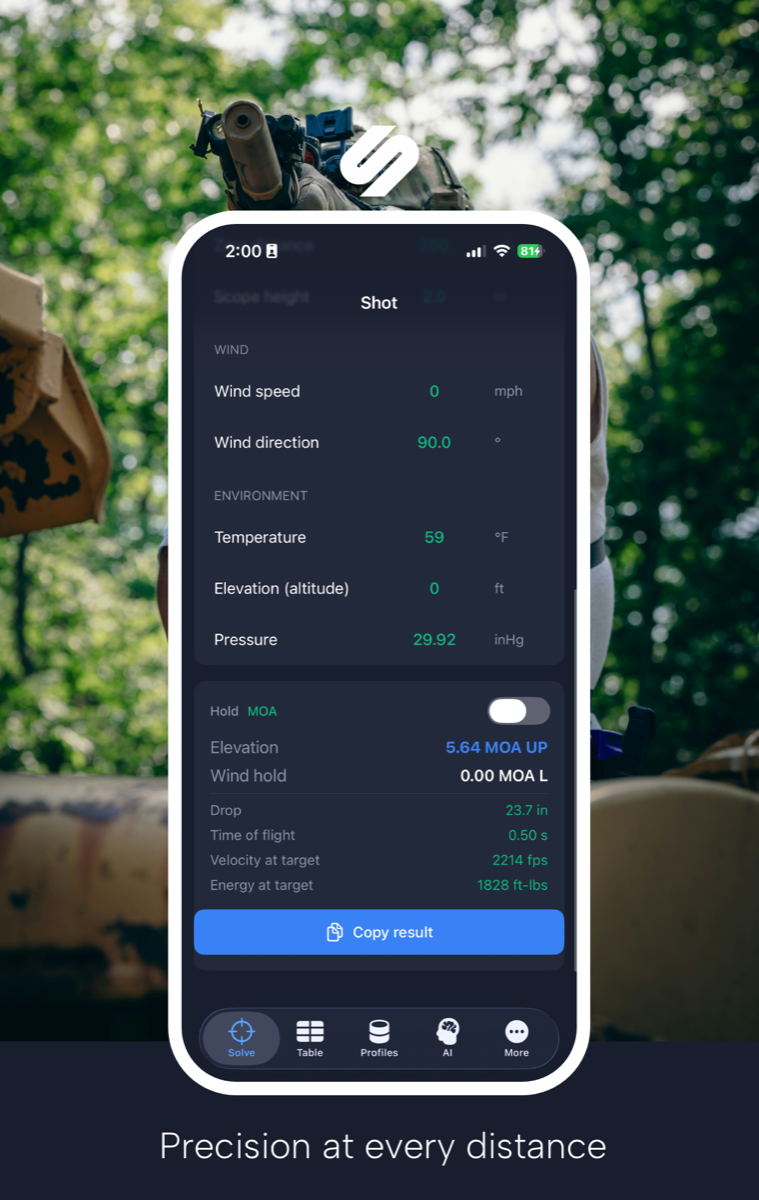
Enter your target distance and Strelok returns the exact elevation and wind hold in MOA or Mils, plus drop, time of flight, retained velocity, and energy. Dial it, hold it, or read it straight off your reticle.

06

Ask Range AI

Not sure what's going on? Open the AI tab and ask in plain English — "why is my 800-yard group stringing vertically?" Range AI uses your current load and conditions to recommend holds, suggest loads, and troubleshoot.

The solver

Everything on one screen.

The Solve screen keeps your wind, environment, and result together so you can adjust and re-read without hunting through menus. Copy the result to your field notes with one tap.

  • Live elevation + wind hold
  • Drop, TOF, velocity, energy
  • MOA or Mils, instantly
  • Copy result to clipboard
Strelok Pro solver screen showing wind, environment, and elevation hold

Ballistic table

The whole trajectory, range by range.

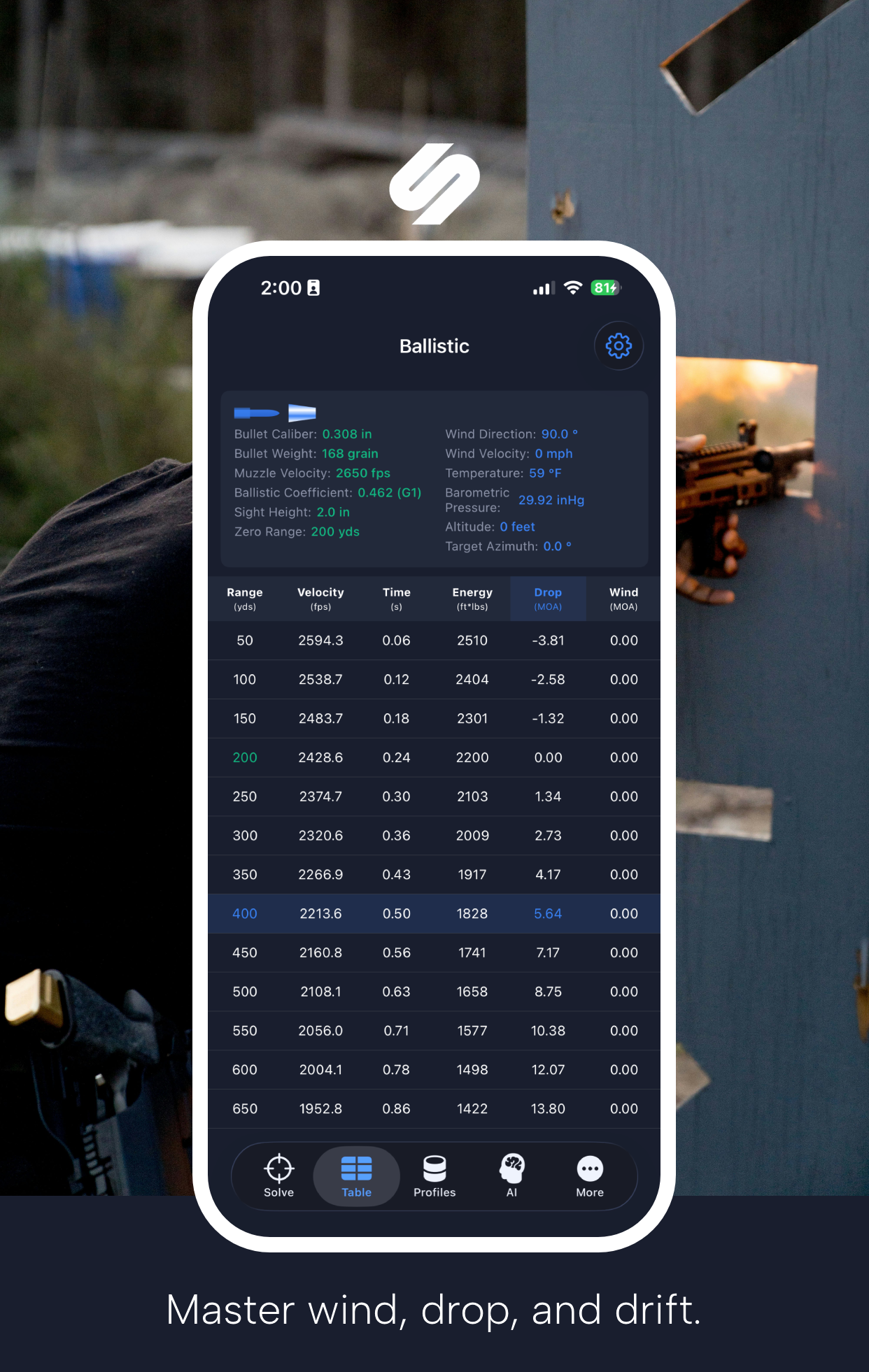
Switch to the Table view for drop, drift, velocity, energy, and time of flight at every distance. Your zero line and target distance are highlighted so the number you need is easy to find.

  • Custom ranges & intervals
  • Highlighted zero + target
  • Inches, MOA, or Mils
Strelok Pro ballistic table with drop and wind drift by range

Reticle HUD

See the hold through your glass.

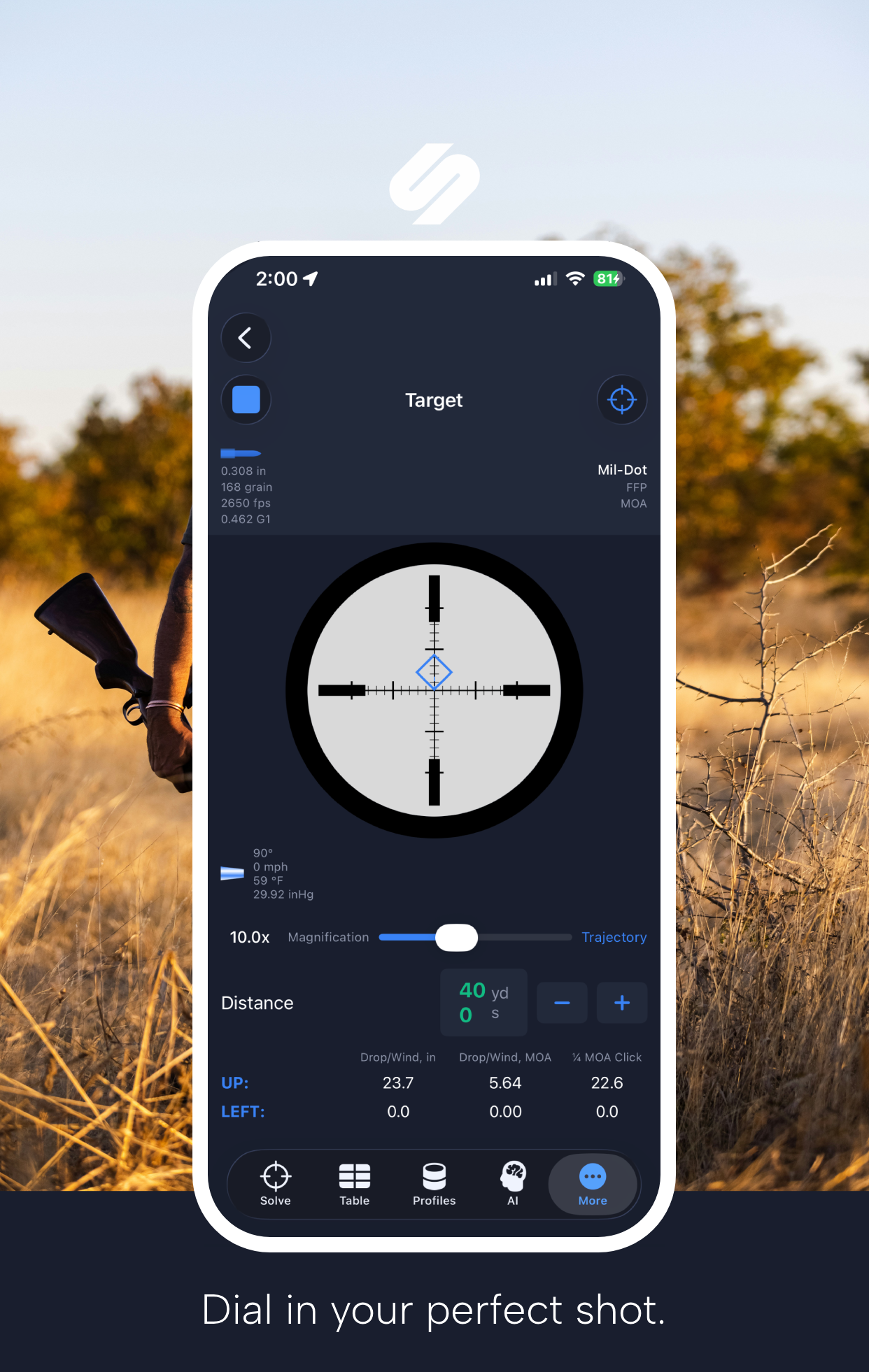
Pair your scope's reticle and Strelok shows the holdover exactly where it lands on the reticle you actually use — Mil-Dot, Horus, MOA grids and more, in FFP or SFP.

  • 30+ reticles
  • FFP and SFP
  • MOA & Mil systems
Strelok Pro scope reticle with holdover HUD

Always confirm at the range. A solver gets you on paper fast, but every rifle, lot of ammo, and chronograph reads a little differently. Truing your muzzle velocity and BC against real impacts is what turns a good first shot into a repeatable one. See our articles for how to true your data.

Ready to dial in?

Download Strelok Pro and build your first profile in under a minute.